Gamdom Mobile: Browser Experience, App Status and Account Access
 Available in AU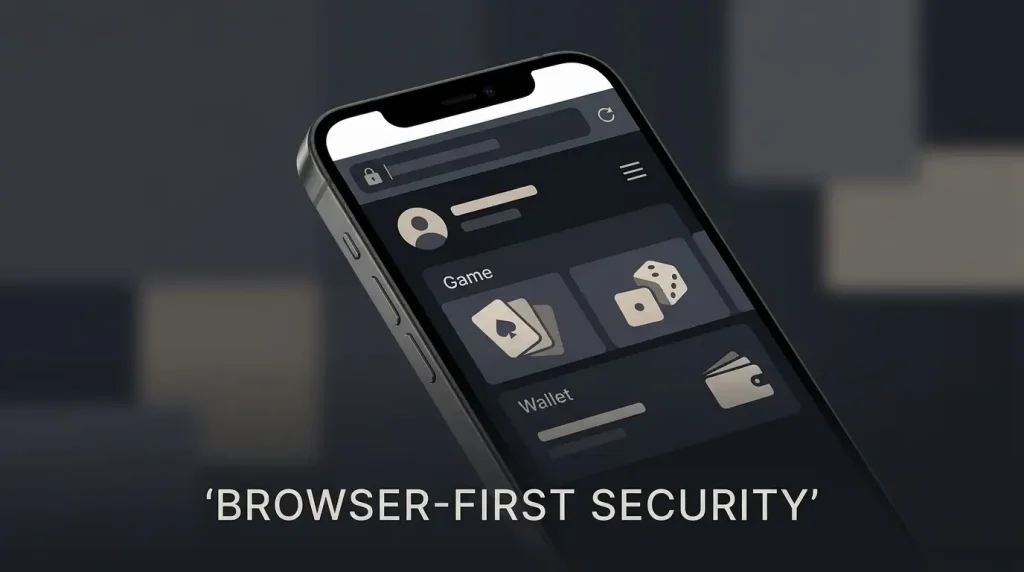
Gamdom Australia Guide
Gamdom’s current official security guidance says there is no official native Gamdom mobile app. The service is website-based, so the legitimate mobile route is to open the official gamdom.com site in a phone or tablet browser. That distinction matters because an app carrying the Gamdom name is not automatically connected to the operator. Gamdom’s own warning says apps presented as official can be fake and used by scammers.
For mobile use, treat the browser as the main account surface. Registration, casino navigation, payment pages, KYC prompts and support should be approached from the official website rather than from an unofficial APK or app-store listing. This page does not claim that every game, wallet hand-off or verification step performs identically on every handset. It explains what is verified, what to check on a phone, and how to avoid confusing a third-party app with the official service.
Table of Contents
- There is no official Gamdom iOS or Android app
- How mobile access works in practice
- Games on a phone: check the category and the individual title
- Payments on mobile still follow the live cashier
- KYC on mobile is an account process, not proof of an app
- Use 2FA even when the browser remembers your session
- What to check before using Gamdom mainly on mobile
- Browser convenience does not resolve Australian eligibility
- Common Gamdom mobile questions
- What to verify when using Gamdom on mobile
There is no official Gamdom iOS or Android app
The starting point is unusually clear. Gamdom’s current security notice says it does not have an official mobile app and that Gamdom exists as a website. It also warns that an app presented as Gamdom can be fake. For readers searching for a Gamdom iOS app, Gamdom Android app or Gamdom APK, that official statement is more useful than an app-store search result.
This means the mobile decision is not “which official app should I install?” It is “am I on the official website?” The official brand domain recorded in the research is gamdom.com. Type or verify that domain carefully, especially when arriving from a social-media message, search ad, chat link or copied URL.
Do not treat a familiar logo, a similar colour scheme or a high app-store position as proof of authenticity. A fake app can imitate visual branding. Domain verification is a stronger check because Gamdom itself identifies the website as the official service.
How mobile access works in practice
Because Gamdom is website-based, the practical mobile workflow starts in Safari, Chrome or another browser you trust. Open the official domain, sign in there, and use the site’s own navigation for the next task. The browser route removes the need to install a separate Gamdom client and keeps the account session tied to the same web service described in the operator’s documentation.
Gamdom’s current account guide lists email and password, Google, Steam and Telegram as account methods. Those are account options, not evidence of a native app. If you are creating or accessing an account from a phone, read the Gamdom registration guide first because country eligibility, one-account rules and account security are separate from the question of mobile format.
Once signed in, the useful test is task-by-task rather than a broad claim such as “mobile is identical to desktop”. Check whether the page you need is easy to read, whether the controls fit your screen, whether any external wallet or identity-verification hand-off returns you to the expected browser session, and whether the connection is stable before committing money or personal documents.
Games on a phone: check the category and the individual title
Gamdom’s verified global catalogue includes slots, table games, live casino content, a sportsbook and Gamdom Originals. The broader Gamdom game library guide explains those categories and the provider mix without fixing an exact total game count.
On mobile, category availability and the behaviour of one individual game are not the same question. A site can expose a large catalogue while a particular provider title has its own screen, orientation or device requirements. This guide therefore does not promise that every listed game performs the same way on every phone.
Live dealer play deserves the same distinction. Gamdom has verified live casino content, but live video introduces its own bandwidth and screen-size demands. If that is your main interest, use the Gamdom live casino page for the provider and format overview, then test the actual table you want to use on your device before relying on a long session.
Payments on mobile still follow the live cashier
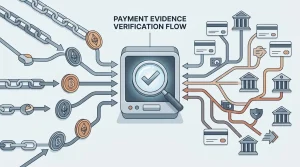
Gamdom supports a range of cryptocurrency deposit and withdrawal assets globally, and its payment documentation says available methods can vary by country. That is important on a phone because a mobile browser can involve extra hand-offs to a banking app, wallet app, payment provider or QR-code workflow.
The safe sequence is to begin from the official site’s Wallet or cashier area, read the method and network shown there, then complete any external hand-off from that session. Do not send crypto to an address copied from a social message or from a saved note. Gamdom’s current deposit guidance says deposit addresses can change and advises users to copy the current address from the account.
The main Gamdom payment methods page covers the broader deposit and withdrawal structure. For mobile specifically, the key point is that browser access does not turn an unverified payment method into a supported one. Check the live cashier for the method, currency, minimum and network presented to your account.
KYC on mobile is an account process, not proof of an app
Gamdom’s current KYC model is generally request-based. When identity verification is required, the official guide describes a staged process that can include personal data, government-issued ID plus selfie, and additional proof of funds or address in some cases. A request appearing while you are using a phone does not imply that Gamdom has launched a native mobile app.
If a verification prompt appears, stay within the official browser flow or the official support route. Before uploading identity documents, check the domain again and make sure the request corresponds to the account session you opened yourself. Do not send KYC documents to a social-media account claiming to be support.
The dedicated Gamdom KYC guide covers the verified document levels, common rejection reasons and the distinction between automated and manual review. That detail belongs there rather than being duplicated on a mobile page.
Use 2FA even when the browser remembers your session
Gamdom supports authenticator-app two-factor authentication. Its current security guidance says that once enabled, 2FA is required for login, withdrawals and tips. On a mobile-first account, this deserves attention because the same physical device can hold the browser session, email access and authenticator app.
A remembered browser session is convenient, but it should not replace device security. Use a screen lock, keep the operating system and browser updated, avoid saving credentials on a shared handset, and protect the recovery path for both your Gamdom login and your authenticator account.
Be especially cautious with links received through Instagram, Discord, Steam, Telegram or other messaging channels. Gamdom’s official security notice warns about impersonation and malicious links. If a message asks you to verify an account or deposit funds, open gamdom.com yourself rather than using the message link.
What to check before using Gamdom mainly on mobile
- Domain: confirm that the browser is on gamdom.com before entering login, payment or identity information.
- No official app: do not install an APK or app solely because it uses the Gamdom name or branding.
- Account security: use a unique password where applicable and enable authenticator-based 2FA.
- Game fit: test the specific casino or live-dealer title you intend to use rather than assuming every title behaves identically across devices.
- Cashier details: re-read the live method, network, amount and destination information before confirming a transaction.
- KYC route: upload documents only through the official account or support process when verification is actually requested.
- Connection: avoid starting a time-sensitive payment or live game session on an unstable public network.
Browser convenience does not resolve Australian eligibility
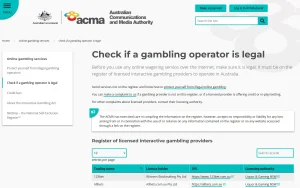
A phone being able to load a website does not prove that an Australian resident is accepted for registration, play or payments. Technical access, country eligibility and local licensing are separate questions. The current project record does not use browser reachability as evidence that Australia is supported.
If you are in Australia, check the live official Terms and the country options presented during account or verification steps before relying on the service. The full Gamdom overview keeps that availability issue separate from product features, while the licence section deals with regulatory evidence rather than device access.
Common Gamdom mobile questions
Does Gamdom have an official iPhone app?
No. Gamdom’s current official security guidance says it does not have an official mobile app and exists as a website.
Does Gamdom have an official Android APK?
No official native Android app is identified by Gamdom’s current security notice. Treat third-party APKs as unauthorised unless Gamdom itself changes that guidance.
How should I access Gamdom on a phone?
Use the official gamdom.com website in a mobile browser and navigate account, games, cashier, KYC and support functions from that site.
Can I play every Gamdom game on mobile?
This guide does not make that blanket claim. Gamdom has a large verified game catalogue, but individual provider titles can have their own device and display behaviour.
Is a Gamdom app in an app store safe because it passed store review?
Do not use store presence as proof of authenticity. Gamdom’s current security notice says it has no official mobile app.
What to verify when using Gamdom on mobile
Gamdom mobile is currently a browser-access question, not a native-app question. The operator’s own security guidance says there is no official Gamdom mobile app, so the safest starting point is the official gamdom.com domain in a trusted browser. From there, assess the specific task you need: account access, a particular game, a cashier method, KYC or support.
The useful mobile comparison is therefore authenticity and task fit, not an invented app score. Verify the domain, use 2FA, follow live cashier and verification instructions, and do not install third-party software simply because it carries the Gamdom name.